

Surf tracker for Apple Watch and iPhone
Paddle out.Your watchkeeps count.
Start a session on your Apple Watch and go surf. Point Break counts the waves you ride, and afterwards your iPhone shows each one on the map, with length, duration and top speed.
No account. No ads. No tracking.

Example session · Ribeira d'Ilhas · 1:17 h in the water
- Waves ridden15
- Longest wave73m
- Top speed23.6km/h
- Ride time2:48min
01 — On your wrist
Start on your wrist.
Then just surf.
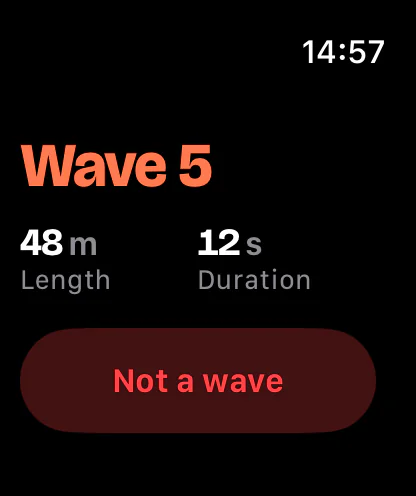
The watch app is made for short glances between sets: big figures, few buttons, Water Lock on by itself.
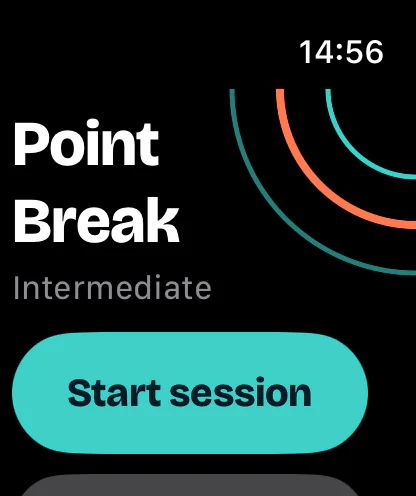
01One tap to start
Start a session with one tap, or with the Action button on Apple Watch Ultra.
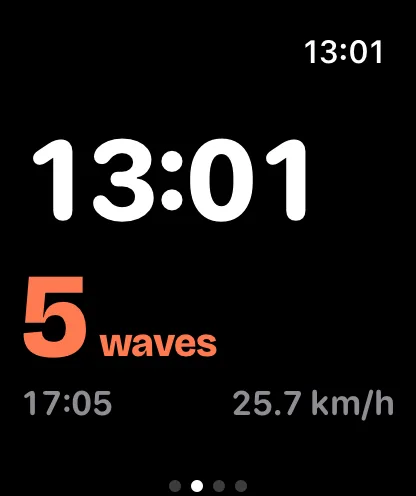
02Waves at a glance
Wave count, time of day and session duration, big enough to read in the water.
03Fix it right there
Counted something that wasn't a wave? Tap Not a wave. Missed one? Tap Missed one.
04Phone stays on the beach
The watch records on its own and sends the session to your iPhone later.
05Drove home with it running?
The app notices the car ride and offers to trim it.
06Apple Health
Saved as a surfing workout with route, heart rate and calories, if you allow it.
02 — After the session
Your waves,
on the map.
When the session reaches your iPhone, it counts again from the full recording and lays your waves over the map.
01Every session on the map
Your waves highlighted, plus wave list, speed chart, longest wave, top speed and paddle distance.
02How hard was it?
Heart rate for the session and per wave, time in zones, recovery. A guide for training, not medical advice.
03Correct the count
Add a missed wave, remove a wrong one, or detect again with a different level or board.
04Your surf log
Notes, a rating and the board from your quiver. The day's waves, wind and tide are added to each session.

03 — The forecast
Go or not?
One clear answer.
Save your spots and Point Break gives each one a plain verdict for your level. The numbers are one tap away when you want them.
- Good to surf
- Okay
- Not today
017 days ahead
Waves, swell, wind and tide for each of your spots.
02How sure is it?
See how well the wave models agree, so you know how much to trust the forecast.
03Your personal score
After a few rated sessions at a spot, the app compares the forecast with the days that worked for you.
04Alerts
A notification when a window opens at your spot, calculated on your iPhone.
Forecasts are model data and can be wrong. Always look at the water yourself.


04 — Your data
No account.No ads.No tracking.
Point Break has no server of its own. Your sessions live on your iPhone and Apple Watch, and we never see them.
Nothing to sign up for
Open the app and go. There is no account and no login.
Optional iCloud sync
Off unless you turn it on. Then sessions, spots and boards reach your other iPhones through your own iCloud. We can't see it.
Heart rate stays with you
Heart rate and calories stay on your devices and in Apple Health. They never go to iCloud and never to us.
Forecasts without tracking
Your iPhone asks the weather service Open-Meteo directly, with a position rounded to about 1 km.
Yours to take or delete
Export a session as GPX or JSON, share it as an image, delete one session or all of them.

05 — What you need
What you need
- iPhoneiOS 18
or later.
- Apple WatchwatchOS 10
or later: Series 4 or newer, SE, Ultra. Wave tracking needs the watch. Without it you can use the forecast, spots and alerts.
- LanguagesEnglish, Deutsch
The watch app follows the language of your watch.
Point Break is made for surfing. Kitesurf, windsurf and wind foil are planned, but not in the app yet.
06 — Questions
Good to know.
How accurate is the wave count?
It is an estimate from GPS and the watch's motion sensors. Wave detection is still being tuned and checked, so it will sometimes miss a wave or count one that wasn't. You can fix it: Not a wave and Missed one on the watch, or add, remove and re-detect waves on your iPhone with your level and board.
Do I need my iPhone in the water?
No. The watch records on its own, GPS included, and sends the session to your iPhone when they are close again. It never deletes a session the iPhone hasn't confirmed.
Can I use it without an Apple Watch?
Yes, for the forecast, your spots and alerts. Counting waves needs the watch.
Is my data sent anywhere?
Your sessions are not sent to us: we run no server. The app asks Open-Meteo for forecasts (with a position rounded to about 1 km) and Apple Maps for maps and place search. If you turn on iCloud sync, your sessions go to your own iCloud, without heart rate and calories. Details are in the privacy policy.
Can I get my data out?
Yes. Export any session as GPX, which most sports and map apps open, or as JSON with all its data, or share it as an image.
What about kitesurfing or windsurfing?
Not yet. Today Point Break is for surfing. Kitesurf, windsurf and wind foil are planned; we'll say so here when they are ready.
Can I rely on it in the water?
No app can keep you safe. Point Break is no safety or rescue device, forecasts can be wrong, and heart-rate zones are not medical advice. Check the conditions yourself. See the safety notice.
When can I get it?
Point Break is coming to the App Store. Right now a small TestFlight beta runs with invited testers. Questions? Write to info@merakee.at.
See you in
the line-up.
Point Break for Apple Watch and iPhone.